


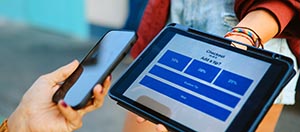

Card Manager

Take control today with Card Manager
You determine how, when, and where your debit card or personal credit card is used. Set spending limits and real-time alerts so you know when your card is used. Create and edit travel plans. Turn your card off and back on with a tap. Card Manager can help you monitor and control how your debit card is used.
Manage Your Banner Bank Debit Card and Personal Credit Card with Card Manager

-
Turn Cards Off/OnInstantly protect your card if it's been lost, misplaced, or stolen by turning it off with a tap. If you find it later, turn it back on just as quickly.
-
Manage Usage ControlsSet controls that restrict international or ATM transactions, or limit transactions by geographic region or by merchant type.
-
Set Spending LimitsEstablish your own limits and track them in real time. Our app will let you know as soon as a transaction exceeds your limits.
-
Simple Card Management
View your personal credit card transactions, statements and make payments.
-
Receive Purchase AlertsReal-time notifications let you know when your card is used or when a transaction is declined.
-
Create Travel PlansNotify Banner of travel dates and locations so you can use your card internationally.
-
My LocationPrevent fraudulent purchases by restricting use of your card to just those locations in your phone's current geographic area.
-
Activate Your CardActivate your card and set a PIN without calling the bank.
-
Card on FileSee what merchants have your card information on file for recurring payments and subscriptions.
-
Digital Wallet ProvisioningEasily submit your card information to Apple Pay to pay for purchases securely using your digital wallet.


Fraud Prevention Tips
Prevent your Banner Bank card from being used without your permission:
Block All online purchases by disabling 'Ecommerce' transactions using the Transaction Types option under Controls.
Prevent in-store fraud by using the Locations option under Controls to allow purchases in specific regions or use your phone's location so only nearby purchases are allowed.
Control International use:
By default, only the United States is included on your list of approved countries. All in-store locations outside of the United States will be declined.
If you are traveling internationally, please remember to submit a Travel Plan using Card Manager or call us at 800-272-9933 (509-527-3636 outside the U.S.) in advance of your trip, to prevent unnecessary blocks from being placed on your card. You can also enable use in additional countries using the Locations option under Controls when traveling.
Tips for Parents and Business Owners
For parents:
If you share a card with your child, you can use Card Manager to set spending limits for your child's card.
You can also use this service to review recent transactions, or set Alerts to notify you whenever the card is used.
For business debit card owners:
You can determine how authorized debit card users can use their cards by enabling or disabling select transaction types or merchant types using the Transaction Types option under Controls.